


New payment methods available on the order form
 Last week, we introduced two “brand new” payment methods on our order form – Western Union and bank wire.
Up until that moment, web hosting customers were able to pay through Western Union or via a bank wire transfer only after they had contacted our sales team.
Now, your customers will be able to select to pay through Western Union or bank wire through your store, directly.
Here is how the Western Union options will be presented on your stores:
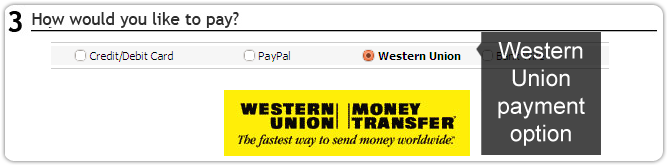
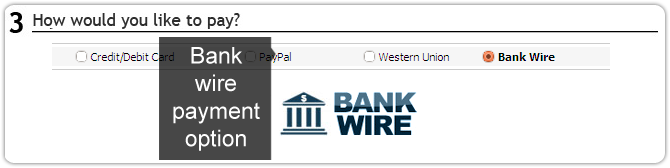 With this change we aim at a few things:
1) To make it easier for our sales reps to handle such payments – right now they are automated and will not require them to take action until the payment is completed.
2) To make these methods available for more visitors – if a customer is not in the possession of a credit card or a PayPal account, he can still purchase something – via a money transfer.
Before, he had to contact us, now he will see all the options listed on the order page.
Here is how a Western Union or bank wire payment is being made:
Once the user fills in all his details on the order page, he is taken to a new page, which is especially prepared for WU and bank wire transfers.
On this new page, he is told how to proceed with his order: he needs to copy or print our details, go to his nearest WU office or bank branch, complete the transaction and then fill in the form in the page with the payment details provided to him by the WU office or bank branch reps.
Once he does that, we will receive a notification for the order.
Our sales manager will check if the funds have been transferred to our accounts, and once they are there, the sales team will approve the order and will activate the purchased services.
UPDATE: As of April 24, 2015, Western Union is no longer offered as a payment option on the order form. Customers with no credit/debit cards or PayPal accounts are still able to take advantage of your services using the bank account option.
Originally published Friday, April 29th, 2011 at 4:24 pm, updated March 17, 2020 and is filed under Latest News, The Free Reseller Program.
February 11th, 2015 at 10:53 am
As a web hosting reseller of ResellersPanel, I’m quite happy with this. It gives me a chance to approach a niche market: those without credit cards or bank accounts. I know I’m 4 years late since this option was introduced in 2011. I didn’t know this because I never receive their newsletter despite my support tickets. For the rest nothing but praise for this fabulous company. UK customers can visit my resellers site http://linux-hosts-ltd.com while US visitors better click on http://linux-hosts-inc.com
February 11th, 2015 at 1:14 pm
Hello, thank you for your kind words. We’re
doing our best to help our partners reach out to as many target
markets as possible’. As regards the newsletter option, we only
send newsletters a few times per year for major system updates.
For frequent updates on our system and services, you can check
out our Facebook, Twitter or G+ channels where we share all
updates to our blog.
February 11th, 2015 at 2:28 pm
Thanks Resellerspanel, I will do that from now on.